New Framework, Who Dis????
Okay, so maybe not new in general, but definitely new to me. So this felt like the perfect opportunity to dive into some fresh docs to see if this framework would be useful for me in my future projects. I’ve been focusing on the Python ecosystem when it comes to AI, but if I'm being honest, I feel like the polyglot codebase of needing to run Python for your backend and having a JS/TS frontend. It’s kind of a pain. Even though Python is much easier to get up and running with AI + it has a MASSIVE ecosystem within the AI space already, NestJS is starting to emerge as one of the go-to JS/TS frameworks to use for building out AI tooling and RAG systems.
So today, I wanted to explore what NestJS is as a framework, get into a bit of its lore, and then run through an example of using local AI models to build you a lesson and project plan so you can curate the best way for YOU to learn this framework. We will NOT be using AI to build the project, and I implore you to try building out the application just using docs and forums, even if you have to struggle a bit. The project guide that will have the local model built for us will be small, so it shouldn’t be too difficult to run through on your own. But for now, let’s dive into the docs of NestJS.
The Rising Star in the League of JS Frameworks
Quite a statement, right? Well, it’s not me that’s praising this Framework. There are plenty of forums and posts out there from fellow devs that love it and claim it to be the future leader for building your Node backend.
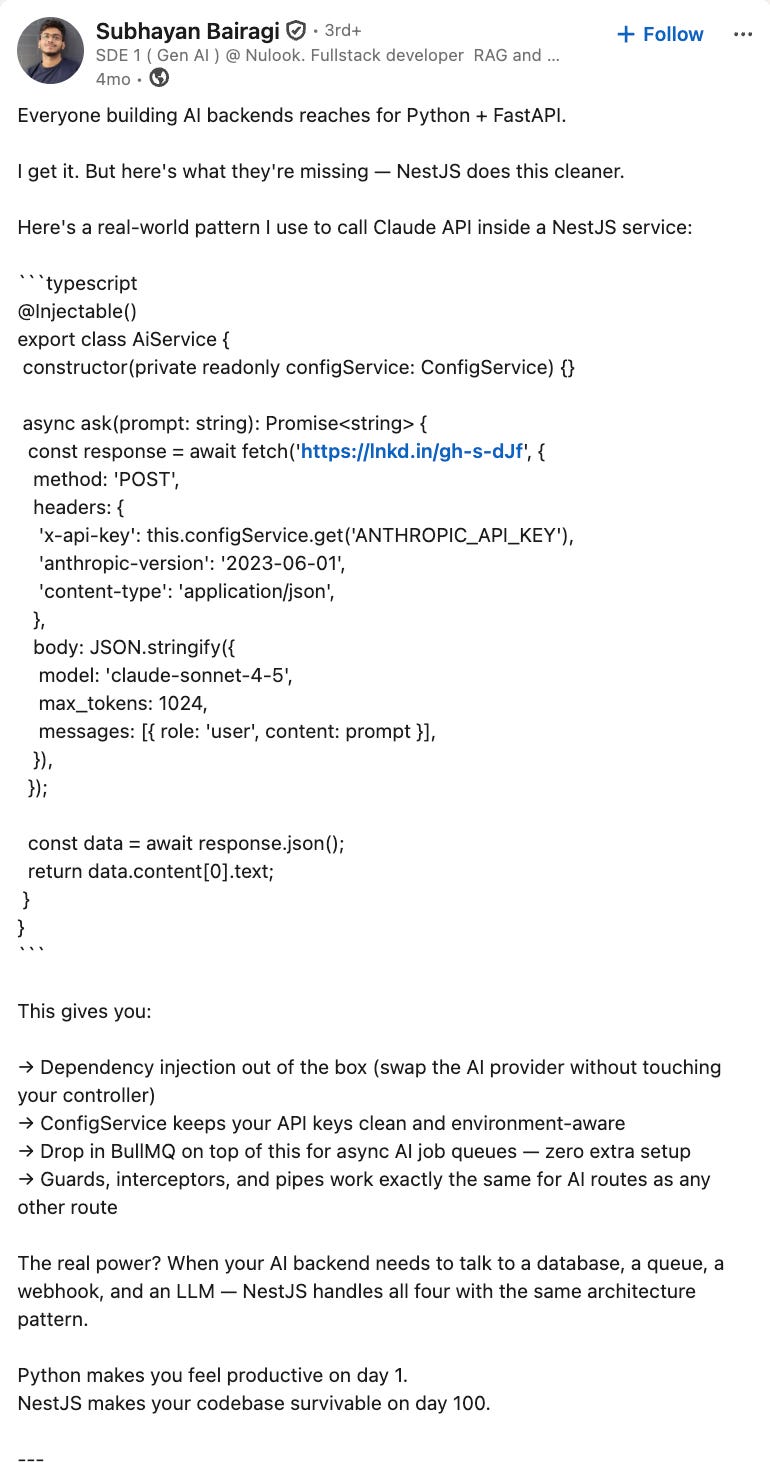
As you can see here, this dev gives a good example of what a call to the Claude AI would look like in NestJS. That same call in Python would look something like the following:
import os
import httpx


class AiService:
    def __init__(self):
        self.api_key = os.environ["ANTHROPIC_API_KEY"]

    async def ask(self, prompt: str) -> str:
        async with httpx.AsyncClient() as client:
            response = await client.post(
                "https://api.anthropic.com/v1/messages",
                headers={
                    "x-api-key": self.api_key,
                    "anthropic-version": "2023-06-01",
                    "content-type": "application/json",
                },
                json={
                    "model": "claude-sonnet-4-5",
                    "max_tokens": 1024,
                    "messages": [{"role": "user", "content": prompt}],
                },
            )
            response.raise_for_status()
            data = response.json()
            return data["content"][0]["text"]
Now, at first glance, one may think: “The Python code looks simpler and is much easier to understand”. Well, you’re not wrong at all 😂, the NestJS code example from the screenshot has an @Injectable() decorator, which I learned is an explicit constructor with typed parameter injection that relies on Nest’s DI(Dependency Injection) container to actually provide a ConfigService. This is one of the drawbacks to using such a strict framework for smaller projects, products, or services. But this is EXACTLY what you want when working on a larger-scale application. Nest’s DI and module system are what make large codebases easier to test, mock, and reason about at scale when you’ve got a real app in production with dozens of services.
Some Quick Definitions and Notes From the Docs
Here, I’m gonna pull a couple sections straight from the docs, word for word.
Intro
NestJS uses progressive JavaScript, is built with and fully supports TypeScript (yet still enables developers to code in pure JavaScript) and combines elements of OOP (Object Oriented Programming), FP (Functional Programming), and FRP (Functional Reactive Programming).
Under the hood, Nest makes use of robust HTTP Server frameworks like Express (the default) and optionally can be configured to use Fastify as well!
Nest provides a level of abstraction above these common Node.js frameworks (Express/Fastify), but also exposes their APIs directly to the developer. This gives developers the freedom to use the myriad of third-party modules which are available for the underlying platform.
Philosophy
In recent years, thanks to Node.js, JavaScript has become the “lingua franca” of the web for both front and backend applications. This has given rise to awesome projects like Angular, React, and Vue, which improve developer productivity and enable the creation of fast, testable, and extensible frontend applications. However, while plenty of superb libraries, helpers, and tools exist for Node (and server-side JavaScript), none of them effectively solve the main problem of architecture.
Nest provides an out-of-the-box application architecture which allows developers and teams to create highly testable, scalable, loosely coupled, and easily maintainable applications. The architecture is heavily inspired by Angular.
Hopefully that little intro into what NestJS is and why it was built helps show the possible use case for your own projects. Or you could be like “naaa son, this is a lame framework”, that’s acceptable too 😂.
Here is a link to their docs -> https://docs.nestjs.com/
And I recommend taking a gander through it to get a better understanding of the framework. But I wanna get to the fun stuff and start working on setting up our personal learning guide and project guide.
Gemma Steps Up to Bat...
As I mentioned earlier, we will be sticking with local open-weight models for building us our learning and project guides. But just like last time....
...Swing and a Miss, But Not Out
With this task being much simpler than the remotion animation creation we did in the last episode, I expected it to handle this task with much more ease. At first we hit a couple of roadblocks because of some directory confusion and vagueness in my prompt, but after some tweaking and after opening up the agent in the proper Obsidian folder, Gemma 4 12b actually got the job done, and it took only 7 min!
I need to build a learning guide and a project guide for learning about NestJS. The learning guide should be very thorough and reference the official docs (https://docs.nestjs.com/) when making the learning sections. The project guide should be a very easy and simple project that a new dev can do by just referencing the official docs and online forums. The goal for the project is to not use AI to build any of it, so please when creating the guide, make sure that each build step is very detailed on what the dev needs to do, so they aren't second guessing about the ambiguity. You are in my project directory now so I just need you to create these guides in the current folder and label them Version 2. Do not go outside of your requested tasks. I know some tools that will be used in my project (only if needed) are https://www.npmjs.com/package/quick-rag and https://www.npmjs.com/package/@qvac/rag so add those to the guides as well if they are useful. There are version 1 guides in the same folder if you need a reference.
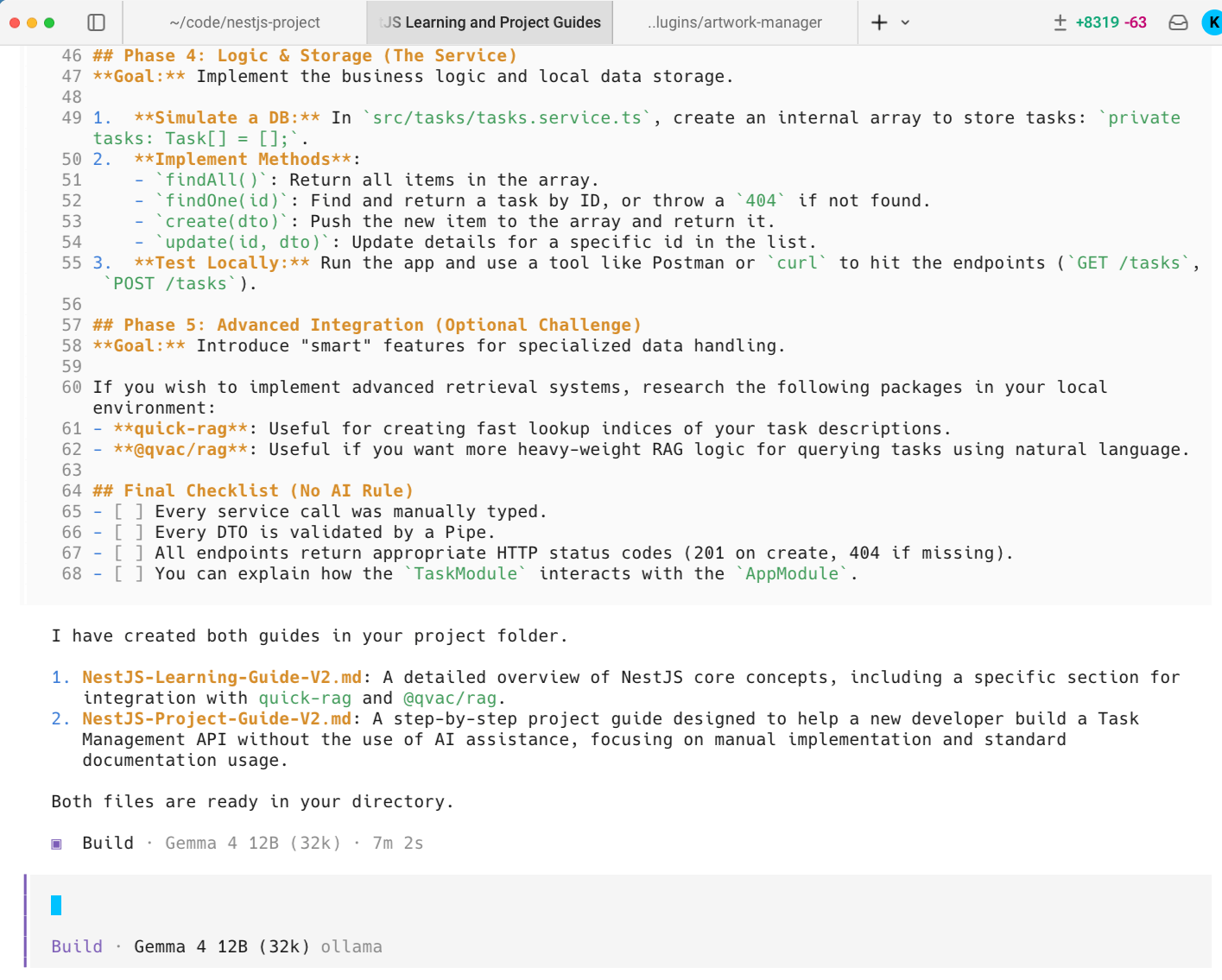
After the first attempts, I did think there was an issue with the model not being able to complete this simple task, but I realized that I was the error after running it in a newly created directory. THAT task only took just under 6 min, but I should note that the prompt was slightly different:
I need to build a learning guide and a project guide for learning about NestJS. The learning guide should be very thorough and reference the official docs (https://docs.nestjs.com/) when making the learning sections. The project guide should be a very easy and simple project that a new dev can do by just referencing the official docs and online forums. The goal for the project is to not use AI to build any of it, so please when creating the guide, make sure that each build step is very detailed on what the dev needs to do, so they aren't second guessing about the ambiguity. You are in my project directory now so I just need you to create these guides in the current folder and label them Version 2. Do not go outside of your requested tasks and don’t overthink getting it done. There are version 1 guides in the same folder if you need a reference.
As you can probably see in the above prompts, I have them reference version 1 for context, and this is because I used Claude to create a plan for comparison in quality. Opus obviously created a better learning and project guide, but the point is Gemma 4 12b did a fine job as well, just straight to the punch 😂. I’ll add the guides below for anyone who wants to check them out:
Opus

Gemma 4 12b
So if you’re wondering which learning guide I’ll be using, it’s neither lol. I actually bought the official course NextJS offers and plan to dive deep into this framework for the next project. The project guides though, I’ll be using both. It actually seems like the project from Gemma 4 is what I asked for in terms of simplicity. With the Opus model, the project is a 2nd brain API, and while it’s a cool project, its def not a basic and minimalistic practice project. The guides themselves speak volumes, where V1 is very extensive, and V2 is straight to the punch.
Running the same prompts but without references
So to give this a go without a reference but with the refined prompt, I ran Gemma 4 12b again but for learning Svelte and building a Svelte project. Popped open a new session, and OpenCode + Gemma 4 was able to build both a learning guide and project guide. Straightforward enough that you should be able to do it without using AI to build it.
The Takeaways
One of the main takeaways was an introduction to NestJS and how it could be the new framework for building backends with Node.js. With it being very opinionated, this might not be for everyone; Hell, it most likely isn’t. But I tend to like opinionated tools and libraries, so long as it’s easy for me to understand AND I find better use of it over the competition. We will see how things pan out once I start working on these new projects.
The other main thing I wanted to get across in this article is to show how easy it is to make yourself learning guides to upskill with nearly whatever you want. You want to get better at Python for Data Science, make a guide for that. You want to learn how to be a better herbalist or grow your own produce, build a guide on how to get started. Just choose something you're passionate about and build your own learning tools. I’m, of course, going to advocate for using local models to build these guides, but if you truly need a long, in-depth roadmap for what to do, the frontier models will serve you better (fuck OpenAI though, please use anything else 🙏🏾)
What’s Next
The next episode will either be about the NestJS project or it might be me diving into more news revolving tech. There’s some major development happening in the local AI space, and while I’d love to cover something in tech that DOESN’T involve AI, it’s becoming increasingly impossible, so my hands are tied.